 By DSP Staff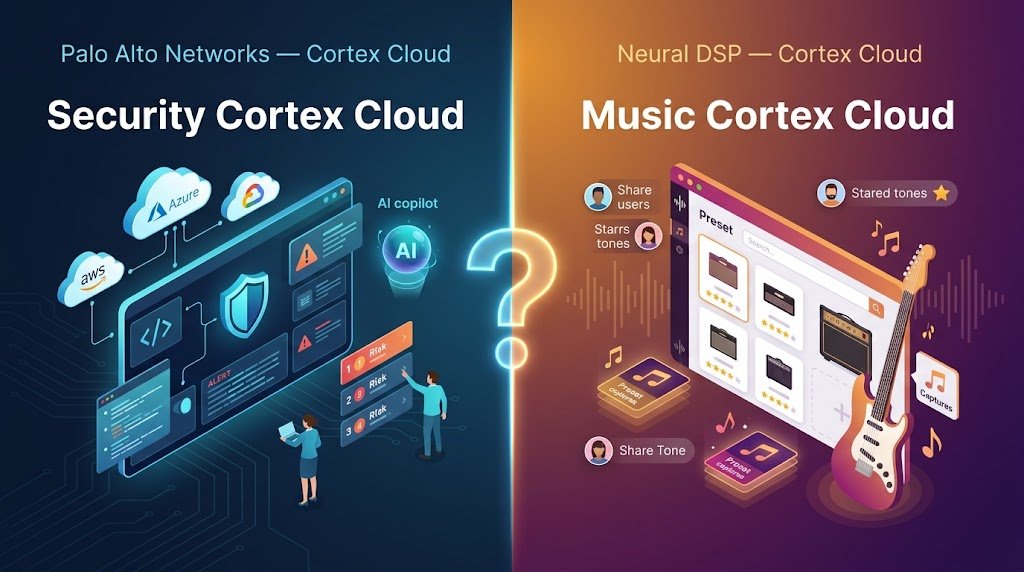
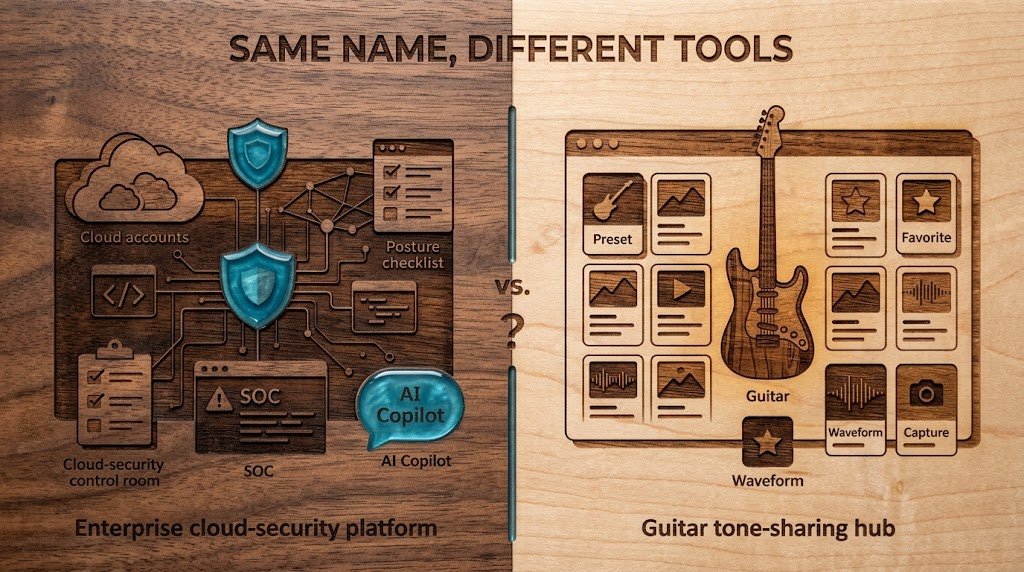
Searching for Cortex Cloud and getting two very different answers? You are not alone. One is an enterprise cybersecurity platform from Palo Alto Networks that protects cloud environments. The other is a web hub from Neural DSP where guitarists share and star their tone presets. Both carry the same name, and both appear on the first page of Google results.
This guide sorts out both meanings so you can find what you need quickly. You will learn what each platform does, who it serves, how its main parts fit together, and how to get started. You will also see common myths, a side-by-side comparison table, and answers to the questions people ask most. Most of the article focuses on the security platform, since that is where the confusion usually starts, and a later section covers the music side.
Table of Contents
- What Is Cortex Cloud?
- Why Does Cortex Cloud Matter? Key Benefits
- Cortex Cloud Key Facts and How It Works
- How To Get Started With Cortex Cloud
- Common Mistakes and Myths to Avoid
- Expert Tips for Best Results
- Frequently Asked Questions
What Is Cortex Cloud?
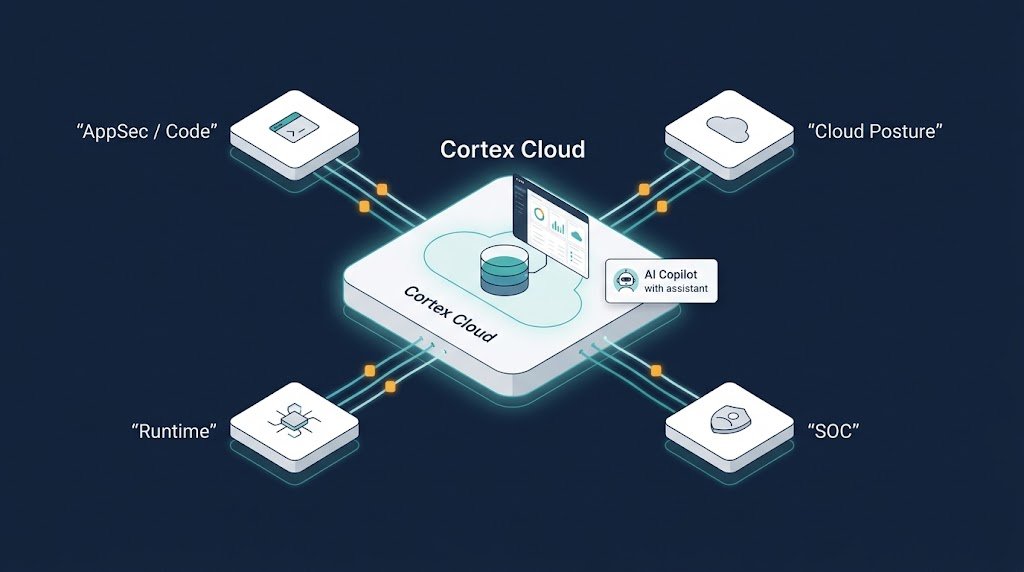
Cortex Cloud from Palo Alto Networks is a single platform that brings four security jobs together: application security, cloud posture security, runtime security, and security operations (SOC). Think of it as one control room for a company’s cloud systems. Instead of checking doors, cameras, and alarms in four different buildings, you watch everything from one screen.
Companies run applications across many cloud accounts, and each account generates its own alerts. Without a central view, security teams spend hours jumping between tools. Cortex Cloud collects those signals into one data lake, so your team can see how a problem in the code connects to a risk in the cloud and an alert in the SOC.
The platform also includes an AI Copilot that helps teams answer questions and sort through findings. For example, you can ask it which risks matter most this week, and it points you toward the answer. That saves time for people who are not security experts.
If you came here expecting guitar presets, skip ahead to the comparison table. The music platform shares the name but has nothing to do with cloud security.
Why Does Cortex Cloud Matter? Key Benefits
Security problems cost real money. According to IBM’s Cost of a Data Breach Report 2024, the average global breach cost reached about $4.88 million, which makes early detection a serious business goal.
Here are the main benefits you can expect:
- One platform, fewer blind spots: Your team sees code, cloud settings, and live threats together, so nothing falls through the cracks.
- Fixes before attacks: Application security checks catch weak code before it reaches production, where it is cheaper and safer to fix.
- Smarter priorities: Posture tools rank risks by impact, so your team tackles the most dangerous issues first instead of the loudest alerts.
- Faster response: Runtime protection and SOC workflows spot active attacks quickly and help you contain them.
- Clear reports: Executives and engineers can pull reports from the same data, which keeps everyone working from the same facts.
- Data residency support: Regulated organizations can scan within required regions, helping them meet local data rules.
Cortex Cloud Key Facts and How It Works
The platform follows a simple path from code to cloud to security operations. Each stage handles a different risk, but all the findings feed into the same place.
Application Security
This stage checks your code and build pipeline before anything goes live. It works to prevent issues from reaching production, so developers can fix problems while they are still cheap to fix. Think of it as proofreading an essay before you hand it in.
Cloud Posture Security
Posture security scans your cloud accounts for misconfigurations, such as open storage buckets or overly broad access permissions. It then ranks each risk so your team can reduce and prioritize the dangerous ones first.
Cloud Runtime Security
Runtime security watches workloads while they run. It aims to stop attackers who try to exploit a known weakness in your live environment. This is like a security guard who stays on duty after the building opens.
Security Operations (SOC)
The SOC layer detects and responds to threats across the whole platform. Analysts investigate alerts, trace an incident back to its source, and take action from one console.
| Feature | Palo Alto Cortex Cloud | Neural DSP Cortex Cloud |
|---|---|---|
| Primary purpose | Cloud security platform | Preset and capture sharing for guitarists |
| Made by | Palo Alto Networks | Neural DSP |
| Main users | Security teams, developers, executives | Guitar players and gear enthusiasts |
| Key functions | AppSec, posture, runtime, SOC | Search, star, share presets and captures |
| How to access | Enterprise subscription through sales | Log in with your Neural DSP account |
| Best for | Protecting company cloud environments | Finding and sharing guitar tones |
On the music side, Cortex Cloud (web) lets you search, discover, star, and manage presets and captures much as you can in the Cortex Mobile app. You can manage your profile and privacy settings from your avatar menu, and share items with a button or copy a link. The website is also responsive and supports keyboard navigation and screen readers. Support questions go to support@neuraldsp.com.
How To Get Started With Cortex Cloud
Getting started depends on which Cortex Cloud you need. For the security platform, follow these steps.
- Define your goal first. Decide whether you need help with code security, cloud misconfigurations, live threats, or all of them. A clear goal keeps the rollout focused and stops your team from drowning in alerts.
- Connect your cloud accounts. Link your cloud environments so the platform can scan configurations and collect signals. Start with your most important production account, then expand once the process feels comfortable.
- Review your first posture findings. Look at the ranked list of risks and read the top ten carefully. Many teams find surprising gaps, such as public storage or unused admin accounts, in the first scan.
- Set priorities and assign owners. Pick the risks with the biggest impact and assign each one to a specific person or team. Ownership turns a list of warnings into a list of tasks someone actually handles.
- Turn on runtime protection and SOC workflows. Enable live monitoring and alert routing for your critical workloads. Then test a simple alert to confirm your team gets notified and knows the response steps.
For the music platform, simply log in at neuraldsp.com/cloud with your existing Neural DSP account. Then search for presets, star your favorites, and adjust your profile privacy from the avatar menu.
Common Mistakes and Myths to Avoid
Confusion around this name leads to some costly and frustrating mistakes. Here are the most common ones.
Mistake: Treating Cortex Cloud as a one-time install. Many people expect a single setup to fix everything. The truth is that cloud environments change daily, so your posture and runtime checks need regular attention.
Mistake: Turning on every feature at once. Activating all modules on day one can bury your team in alerts. Start with your biggest risks and expand gradually.
Mistake: Ignoring the ranked list. Some teams fix whatever alert appears first. The truth is that the platform ranks risks for a reason, so working from the top of the list saves time and reduces real danger.
Mistake: Assuming it is just a cloud tool. Because the platform touches code, cloud, and the SOC, some teams assume only the cloud team needs access. The truth is that developers and analysts both gain the most when they share one view.
Mistake: Confusing the two Cortex Clouds. Searching for guitar presets and landing on a security dashboard wastes time. Always check the product name and the company before you sign up or buy anything.
Expert Tips for Best Results
- Start small and measure early. Pick one cloud account and track how many risks you fix in the first month. Clear numbers help you justify expanding the rollout.
- Set a weekly review rhythm. A 30-minute meeting each week keeps posture findings from piling up. Consistency matters more than marathon cleanup sessions.
- Use the AI Copilot for quick questions. Ask it to summarize the top risks or explain a finding in plain language. It is a fast way to brief managers who are not security specialists.
- Share reports with the right audience. Give executives a short summary and give engineers the detailed findings. One report rarely serves both groups well.
- Keep your Neural DSP profile privacy settings updated. If you share presets publicly, review your privacy options from time to time so you only publish what you want people to see.
Frequently Asked Questions
What is Cortex Cloud?
Cortex Cloud is a cloud security platform from Palo Alto Networks. It combines application security, cloud posture management, runtime protection, and SOC operations in one place. Companies use it to find and fix risks across code and cloud systems, and to detect and respond to threats. Neural DSP also uses the name for a web hub where guitarists share presets and captures, which is a completely different product.
Is Cortex Cloud free?
The Palo Alto security platform is a paid enterprise product, and pricing depends on your organization’s size and needs, so you typically need to contact sales for a quote. The Neural DSP web version lets you log in with an existing Neural DSP account to search, star, and share presets. Always check the official website for current pricing before you sign up.
Is Prisma Cloud now Cortex Cloud?
Yes, Palo Alto Networks has repositioned its cloud security offering under the Cortex Cloud name, so many people now see the two terms used together. If you used Prisma Cloud before, check the official Palo Alto documentation for current features, licensing, and migration details. Do not rely on older articles for product specifics.
Conclusion
The name Cortex Cloud points to two very different products, so knowing which one you need saves time and frustration. The security platform unifies application security, cloud posture, runtime protection, and SOC operations, while the Neural DSP web hub helps guitarists search, star, and share presets. Remember these three points: check the company behind the name, start with your biggest risks, and review your priorities on a regular schedule.
Start today by deciding which Cortex Cloud fits your goal, then take the first step, whether that means logging in to neuraldsp.com/cloud or booking a conversation with the security team. Which Cortex Cloud are you looking for, and what do you want it to do for you? Tell us in the comments below.