 By DSP Staff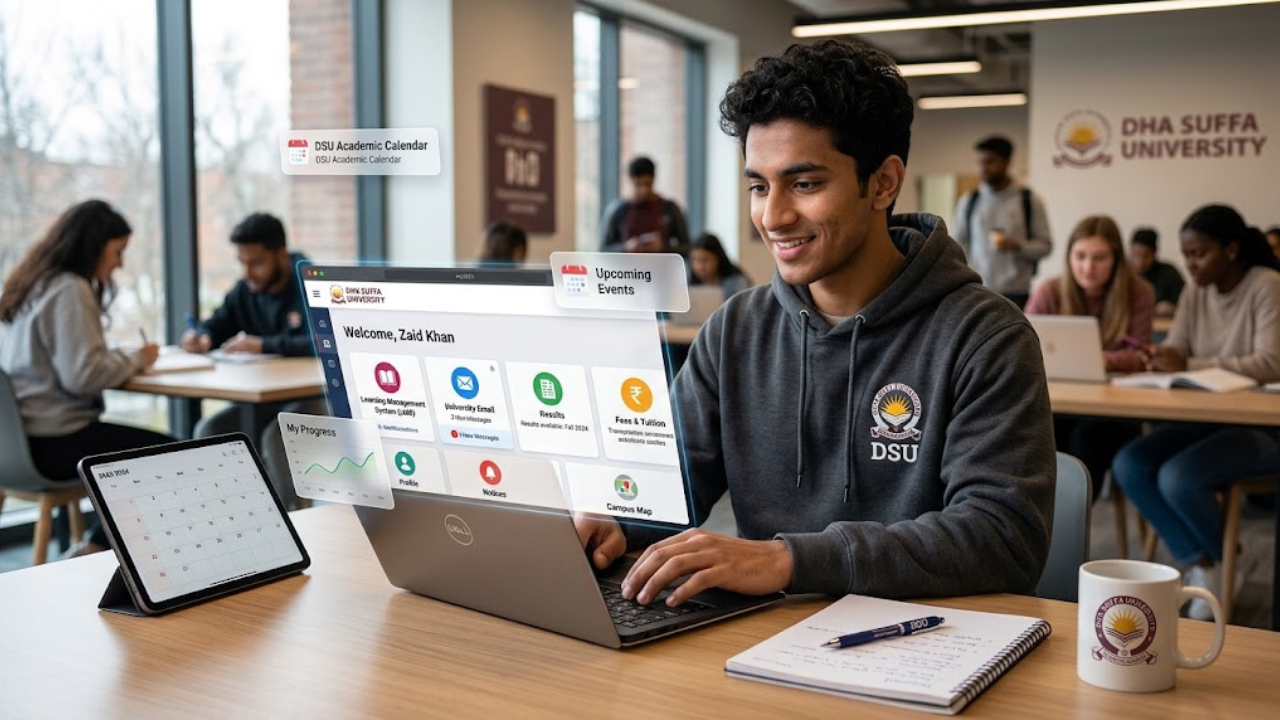
Introduction
Did you know over 80% of student tasks at DHA Suffa University—from checking results to submitting assignments—happen through myDSU and its linked platforms? If you’re a DSU student, myDSU is your digital command center for academics, communications, and administrative services.
This guide walks you through everything: how to log in, what tools you can access (LMS, email, results), step-by-step setup, common login issues, and expert tips to maximize your productivity. You’ll also learn the difference between myDSU, DSU LMS, and student email, plus how to troubleshoot problems fast.
Table of Contents
-
What Is myDSU?
-
Why Does myDSU Matter?
-
myDSU — Key Facts and Platform Breakdown
-
How To Use myDSU Effectively
-
Common Mistakes and Myths to Avoid
-
Expert Tips for Best Results
-
Frequently Asked Questions
What Is myDSU?
myDSU is the official student portal for DHA Suffa University (DSU), giving you single sign-on access to all your academic and administrative tools. Think of it as your digital student ID card—once you log in, you can reach your courses, grades, fee statements, email, and university announcements from one place.
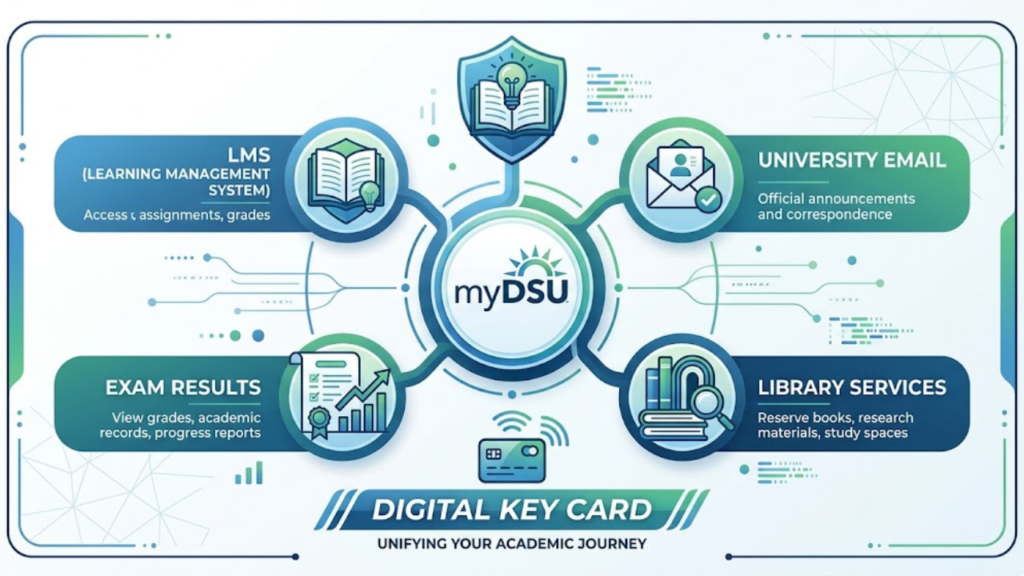
Here’s a simple analogy: if DSU were a shopping mall, myDSU would be your all-access pass that opens every store (LMS, email, library, results) without needing separate tickets. Without it, you’d have to visit each office or website individually—wasting time and risking missed deadlines.
Real-world example: Need to check your midterm results, download your fee challan, and submit a lab report? All three happen through myDSU or its linked platforms (LMS, student email).
Why Does myDSU Matter?
Using myDSU isn’t optional—it’s essential for staying enrolled, informed, and on track. Here’s why:
-
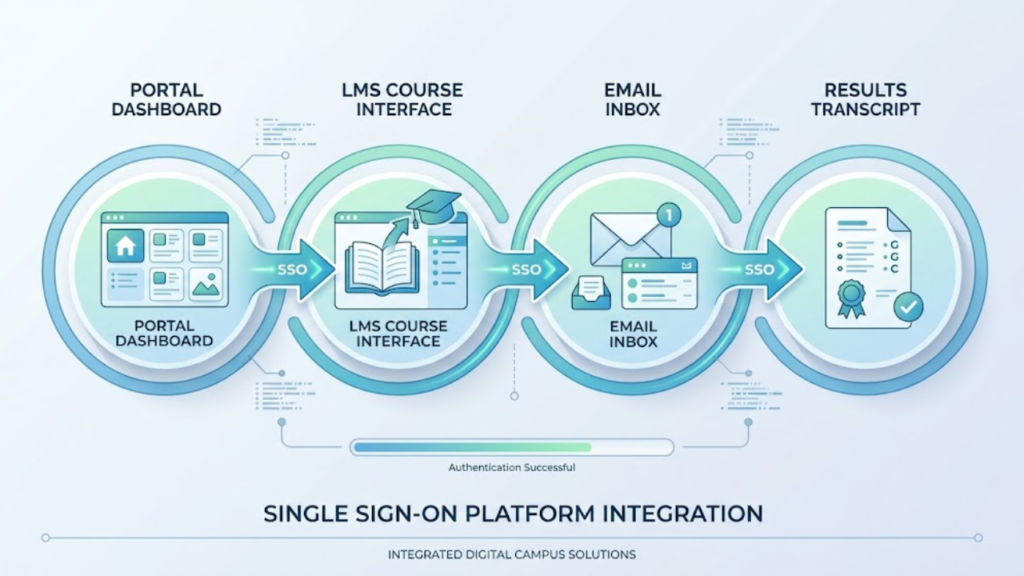
Centralized Access: One login unlocks LMS, email, results, fee portals, and library resources.
-
Real-Time Updates: Get instant notifications for exam schedules, grade postings, fee deadlines, and course announcements,
-
Academic Control: View your transcripts, course registrations, and attendance records anytime.
-
Communication Hub: Your @dsu.edu.pk student email (linked via myDSU) is the official channel for faculty and admin messages.
-
Efficiency: Submit assignments, register for courses, and apply for scholarships without visiting campus offices.
Statistic: Universities with centralized portals like myDSU report 25% higher student engagement and fewer missed deadlines, according to ed-tech studies.
myDSU — Key Facts and Platform Breakdown
myDSU Student Portal (Main Dashboard)
The myDSU portal (accessed via lms.dsu.edu.pk/my/ or similar) is your homepage after login. From here, you can navigate to:
-
Course dashboard (LMS integration)
-
Fee payment links
-
Academic records (transcripts, attendance)
-
University announcements
DSU LMS (Learning Management System)
The DSU LMS (at lms.dsu.edu.pk) hosts your course materials, assignments, quizzes, and discussion forums. You access it through myDSU or via direct login with your student credentials.
Student Email (@dsu.edu.pk)
Your official student email (e.g., studentname@dsu.edu.pk) is tied to your myDSU account. Use it for:
-
Communicating with professors and admin
-
Receiving exam schedules and result notifications
-
Accessing library databases and research tools
myDSU Results and Academic Records
Check midterm, final, and sessional results through the myDSU results section. You can also:
-
Download unofficial transcripts
-
View GPA trends
-
Track credit completio
myDSU – dsp-academy
Platform Comparison Table
[ DSU academic calendar 2026 guide]
How To Use myDSU Effectively
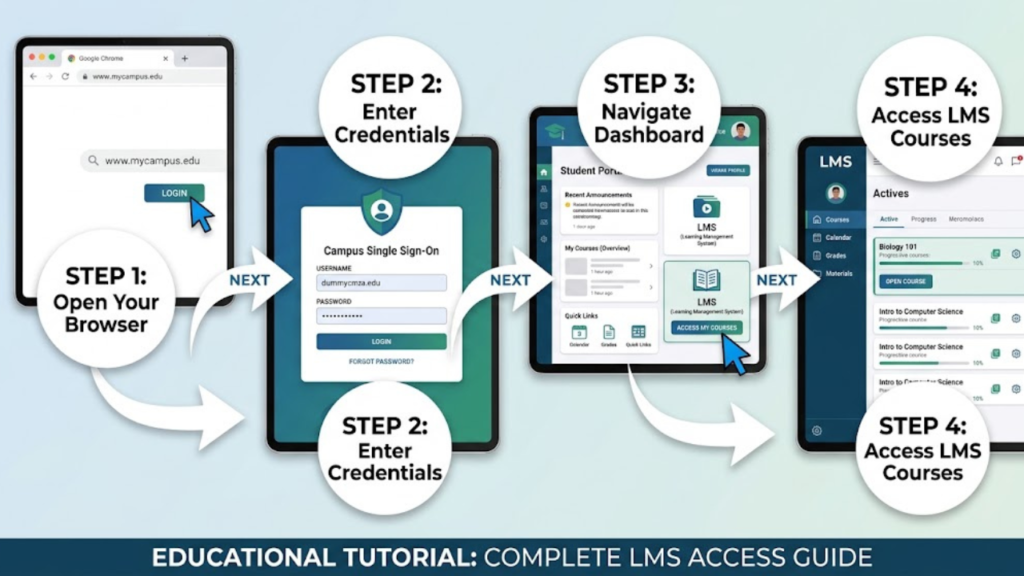
Follow these steps to set up and use myDSU like a pro:
-
Navigate to the myDSU Login Page
Open your browser and go to lms.dsu.edu.pk or lms.dsu.edu.pk/my/. Look for the “Login” or “Student Portal” button—usually at the top-right corner. -
Enter Your Student Credentials
Use your DSU student ID (or registered email) and password. First-time users may need to activate their account via an email link from IT. -
Access the Dashboard
After login, you’ll land on the myDSU dashboard. From here, click tiles or menu items for LMS, Email, Results, or Fee Payment. -
Link Your Student Email
If prompted, set up your @dsu.edu.pk email via Office 365 or the university’s mail portal. This email receives critical academic notifications. -
Bookmark Key Pages
Save myDSU, LMS, and email URLs in your browser’s bookmarks. This speeds up daily access and reduces login errors. -
Enable Notifications
Turn on email and LMS alerts for assignment deadlines, grade postings, and announcements. Check your portal at least twice weekly.
Common Mistakes and Myths to Avoid
-
“I can use any email to log in.”
False. You must use your official DSU student credentials (student ID or @dsu.edu.pk email). Personal emails won’t work. -
“myDSU and LMS are the same thing.”
Myth. myDSU is the portal; LMS is the course platform inside it. You access LMS through myDSU. -
“I don’t need to check myDSU if I attend class.”
Risky. Critical updates—exam schedules, fee deadlines, result postings—appear only on myDSU. Missing them can cost you grades or enrollment. -
“Student email is optional.”
Incorrect. Faculty and admin use @dsu.edu.pk emails for official communication. Ignoring it means missing assignment briefs, exam notices, and scholarship alerts. -
“I can share my myDSU login with friends.”
Dangerous. Sharing credentials violates university policy and risks data breaches or academic misconduct. Keep your login private.
Expert Tips for Best Results
-
Change your default password immediately after first login—use a strong, unique password.
-
Clear browser cache if myDSU loads slowly or shows errors.
-
Use Chrome or Firefox for best compatibility with LMS and myDSU.
-
Download the LMS mobile app (if available) for offline access to course materials.
-
Contact IT Help Desk fast if locked out—don’t wait until deadlines.
Frequently Asked Questions
Q1: How do I reset my myDSU login password?
Visit lms.dsu.edu.pk and click “Forgot Password” on the login page. Enter your student ID or registered email, then follow the email verification steps. If issues persist, contact the DSU IT Help Desk at info@dsu.edu.pk or 021-35244851-53.
Q2: Can I access myDSU on mobile devices?
Yes. The myDSU portal and DSU LMS are mobile-responsive. Open lms.dsu.edu.pk in your phone’s browser (Chrome, Safari) and log in with your student credentials. Some features may work better on desktop.
Q3: Where do I check my myDSU results?
After logging into myDSU, navigate to the “Results” or “Academic Records” section. Select your semester and course to view midterm, final, or sessional grades. You can also download unofficial transcripts from this page.
Conclusion
myDSU is your essential gateway to academics, communication, and administrative services at DHA Suffa University. You now know how to log in, what platforms it connects (LMS, email, results), and how to avoid common pitfalls.
Start today: Log into myDSU, bookmark your dashboard, and enable notifications. Which feature will you use first—checking results, accessing LMS, or setting up your student email?